


MX Tunnel Pro
4.41.33K Reviews
App Specs
- Version
- Mx-Build47
- Updated On
- License
- Free
- Downloads
- 5,000,000+
- Developer
- RR Technology
- Categories
- Tools
- Platform
- Android
Screenshots
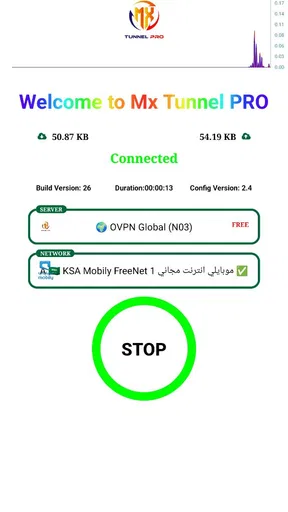
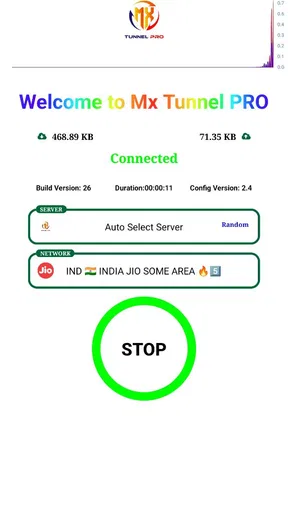
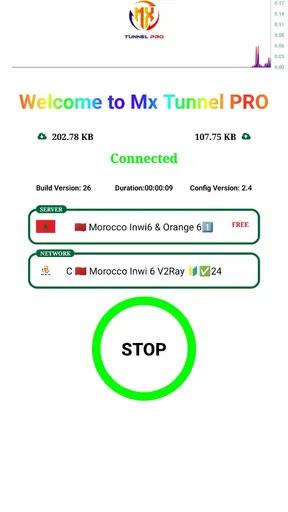
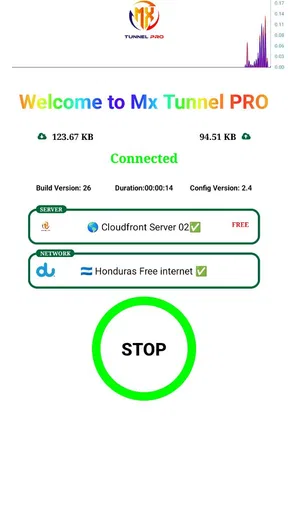
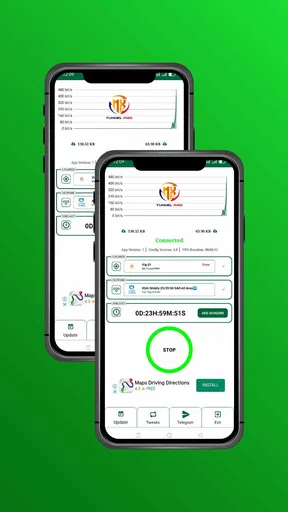
 Analysis by AppCompare
I approach MX Tunnel Pro as a practical connection tool rather than a magic fix for every privacy or network problem. That distinction matters: a tunnel can be useful when you need a different route to the internet, but it cannot guarantee that every site will load faster or that every online activity is private. RR Technology’s app is free, is intended for a general audience, and has a 4.4 average from around 26,000 ratings. Those figures suggest that many people find it useful, though they don’t tell me whether it suits a particular network or need.
What its current version tells me
The current release is Mx-Build47, and the app first appeared on January 29, 2023. That gives a little context for its history, but a version label alone does not explain what changed between releases. I wouldn’t treat the build number as proof of a particular feature, security improvement, or performance increase. For someone already using the app, the sensible approach is to check how it behaves after installing the current version on their own device and connection, rather than assume that a newer build has changed the experience in a specific way.
MX Tunnel Pro is a tools app for Android, with a minimum operating system requirement of Android 7.0. It has passed five million installs, and that kind of reach makes it easier to find user feedback and compare experiences. Still, connection tools are unusually dependent on location, mobile carrier, Wi-Fi conditions, and the destination service. A result that feels smooth at home may be different on a crowded public network, so I’d judge it on the connection I actually plan to use.
Where a tunnel app fits into everyday use
For me, the most useful way to evaluate a tunnel app is to start with a specific situation. Imagine arriving at a café, joining its Wi-Fi to check a travel booking, and then needing to send a message before moving on. A tunnel can be part of a more cautious routine in that setting, but I would still avoid treating it as permission to enter sensitive information on any network without thinking. I’d connect first, confirm that the app shows an active connection, and only then continue with ordinary browsing.
That simple check is more useful than tapping connect and immediately forgetting about it. If a page stalls or an app behaves differently, I’d briefly check whether the tunnel is still active before blaming the website or the Wi-Fi. If the connection keeps interrupting something important, I’d switch to a trusted mobile connection instead. This is a practical trade-off: a tunnel can add a layer to a network session, but it also becomes another link in the chain that can affect loading and access.
It may also suit someone who wants a straightforward way to try a tunnel connection without paying upfront. Free access lowers the barrier to testing, but I would not pick an app on price alone when the task involves private work, financial accounts, or other high-stakes information. In those cases, I’d compare the provider’s privacy and security details with the standards I need, and choose a service that clearly answers those questions.
How I’d compare it with the alternatives
MX Tunnel Pro belongs in a different decision from a browser’s private mode. Private browsing mainly changes what the browser keeps on the device; it does not, by itself, create a tunnel for the network connection. A tunnel app is more relevant when the goal is to route traffic through a service, while a private window is better for keeping a local browsing session separate from other people using the same device. They solve different problems, so one is not a full substitute for the other.
Worth Reading Before You Choose

EA SPORTS FC Mobile 26 Is a Bigger Football Game, but It Takes Time

Flipboard Shows What News Apps Must Do Beyond the Feed

Switching to Android Auto Means Rethinking Your Driving Routine

Google Calendar Makes a Crowded Week Easier to Manage

Ludo King Makes the Most of the Minutes Between Plans

Baby Panda World Brings Quick Play to Modern Phones, but Its Game Library Feels Busy
It is also worth comparing a general-purpose tunnel app with a paid VPN service. The latter may be a better fit if you need clearly documented privacy practices, support, or a particular set of controls. I would not assume those features exist here simply because the app is in the same broad category. If your only aim is to get a basic connection tool onto an Android phone and see whether it works for routine browsing, a free option can be a reasonable first experiment. If you need a provider you can assess against strict work or travel requirements, more documentation may matter more than convenience.
There is another alternative people sometimes overlook: using the mobile network you already trust. A VPN or tunnel is not automatically the best choice for every session. If a public Wi-Fi network is unreliable, or the app’s connection is interfering with a time-sensitive task, switching off that Wi-Fi and using mobile data can be the simpler answer. I’d choose based on the task, rather than leave a tunnel on by habit and assume that one setting is right everywhere.
Small habits that make testing more useful
When trying MX Tunnel Pro for the first time, I’d test it with low-stakes browsing before depending on it for anything important. Open a few familiar pages, note whether they load normally, and try again after disconnecting. That basic comparison helps separate a problem with the tunnel from a problem with the network itself. It also gives you a realistic sense of whether the extra step is worth it in your usual routine.
I’d test on both Wi-Fi and mobile data if both are part of your day. A connection that works well on one may not behave the same way on the other, and this comparison can help you spot where any friction begins. If the app is useful only on a particular network, that is still useful information: you can reserve it for that situation instead of expecting it to improve every connection.
For travel or a commute, I’d avoid waiting until I need a ticket, map, or confirmation message to learn how the app behaves. Test it before leaving, then decide whether you want it available for public Wi-Fi. If the network changes and a session becomes unreliable, disconnecting and retrying on the ordinary connection is a reasonable troubleshooting step. I would not keep repeating the same attempt when the underlying Wi-Fi itself is clearly failing.
One more practical point: a tunnel connection can change how some services respond to a session. If a website asks you to sign in again or an app behaves unexpectedly, first consider whether the changed route is involved. For a service that is sensitive to location or account verification, I’d use the connection that gives the most predictable access. That is a better expectation than assuming a tunnel will make every service work as usual.
Getting Started with MX Tunnel Pro
First things first, downloading MX Tunnel Pro is a breeze. It's available on both Android and iOS, so whether you're team Android or an iOS aficionado, you’re covered. Once you've got it installed, you're greeted with a sleek and straightforward interface that doesn’t overwhelm you with unnecessary options. I personally loved how easy it was to navigate through the app. No frills, just functionality.
Features that Stand Out
Now, let's talk features. The app promises high-speed connectivity, and during my test drive, it delivered on that promise. Whether I was streaming videos or browsing the web, the connection was consistently fast. Security is another significant highlight. Using cutting-edge encryption, MX Tunnel Pro ensures your data stays private, which is a huge plus for anyone who values their online privacy.
Another cool feature is the variety of servers available. You can switch between multiple locations worldwide, which is perfect if you're trying to access geo-restricted content. I tested this out with a few streaming services, and it worked like a charm.
User Experience: As Smooth as Silk
Let's talk about the user experience, which is often the make-or-break aspect of any app. What I appreciated about MX Tunnel Pro is its simplicity. You don’t need to be a tech guru to get the most out of it. The one-tap connect feature is a lifesaver for those moments when you just want to get online quickly without fiddling with settings.
The app also has a minimal impact on battery life, which is a rare find in the world of VPNs. I could leave it running in the background without worrying about my phone dying halfway through the day.
Reliability and Performance
During my time with the app, MX Tunnel Pro proved to be highly reliable. I didn’t experience any sudden disconnects or drops in speed, which is crucial when you’re relying on a VPN for secure browsing. The seamless connection was a big win for me, especially when I was using public Wi-Fi.
Performance-wise, it's impressive. The app runs smoothly, and I didn’t encounter any bugs or crashes. It’s evident that the developers have put a lot of effort into ensuring the app is stable and efficient.
Final Thoughts: Is MX Tunnel Pro Worth It?
So, the big question: should you get MX Tunnel Pro? If you’re in need of a VPN that combines speed, security, and ease of use, then the answer is a resounding yes. It’s perfect for anyone who needs reliable access to the internet without compromising on privacy or performance.
I’d recommend giving it a shot, especially if you’re someone who frequently uses public Wi-Fi or travels a lot. It’s an investment in your online security that pays off with peace of mind. Plus, with its user-friendly interface, it won’t take you long to become a pro at using MX Tunnel Pro.
Ultimately, MX Tunnel Pro is a solid choice for anyone looking to enhance their online experience with a dependable VPN app. So, why not give it a try and see how it fits into your digital life?
Who should choose it, and what I’d keep in mind
I’d point a casual Android user toward this app if they want a simple tunnel option to try for everyday browsing and are comfortable checking whether it works well on their own network. Its uncomplicated approach is appealing when the goal is to connect without learning a lot of networking terminology. The general-audience rating also makes it approachable, but that should not be mistaken for a substitute for understanding what a tunnel does and what it cannot do.
I’d be more cautious about recommending it as the sole solution for someone with strict workplace requirements, a need for documented privacy assurances, or a connection that must remain stable throughout an important call. A tool can feel reliable in ordinary use and still be the wrong choice for a task where a brief interruption has consequences. In those cases, I’d prioritize a provider whose published details match the user’s requirements, or use a trusted connection that is already known to work.
The same applies if your main reason for installing it is access to a particular streaming catalogue. Changing a connection route does not guarantee that a streaming service will allow access, and services can change how they handle such traffic. I’d treat that as something to test casually rather than the central reason to rely on the app. If watching a specific service is essential, a service with clear support for that use is a safer bet.
My overall view is that MX Tunnel Pro is easiest to recommend as a low-friction tool to evaluate, not as a universal answer to privacy, speed, or access problems. Try it on a routine task, compare the result with your normal connection, and keep a fallback ready for work that cannot wait. That approach gives you a fair picture of whether its simple workflow fits your habits while keeping expectations grounded.
Pros
- Fast and reliable connection speeds.
- User-friendly interface for easy navigation.
- Supports multiple protocols and servers.
- Provides high-level encryption for security.
- Compatible with most devices and OS.
Cons
- Requires a subscription for full features.
- Occasional connection drops in some regions.
- Limited customer support options.
- Ad-supported in the free version.
- Some features are region-restricted.
FAQs for MX Tunnel Pro
What is MX Tunnel Pro and what does it do?
MX Tunnel Pro is a VPN app that provides secure and private internet browsing. It encrypts your data, making it difficult for hackers or third parties to access your information. This app is particularly useful for accessing geo-restricted content and ensuring privacy on public Wi-Fi networks.
Is MX Tunnel Pro free to use or does it have any costs?
MX Tunnel Pro offers both free and premium versions. The free version includes basic features with limited server options. To unlock additional servers and faster speeds, users can opt for a premium subscription, which may vary in cost depending on the plan chosen.
Which platforms are compatible with MX Tunnel Pro?
MX Tunnel Pro is compatible with both Android and iOS devices. It can be downloaded from the Google Play Store for Android users and the Apple App Store for iOS users, ensuring a wide range of smartphone compatibility and easy installation on most devices.
How secure is MX Tunnel Pro for online privacy?
MX Tunnel Pro uses robust encryption protocols to protect your data and ensure privacy. It is designed to keep user information secure and anonymous, providing a safe browsing experience, especially on unsecured networks. The app does not log user activity, enhancing privacy.
Can MX Tunnel Pro affect my internet speed?
Using MX Tunnel Pro may affect your internet speed due to the encryption process and server distance. While the premium version generally offers faster and more stable connections, the free version might result in slower speeds. Choosing a server closer to your location can help mitigate this.


